

Picking the right tools can make or break your marketing budget. If you’re running a business anywhere in Malta, from Valletta to Gozo, you don’t need fifty apps. You need the right five or six.
This guide walks through the top digital marketing tools every business should use, why Google Business Profile sits at the center of local marketing, and how each tool fits into one simple stack you can actually manage without a full-time marketing team.
What Are the Top Digital Marketing Tools Every Business Should Use?
The top digital marketing tools every business should use fall into five categories: local visibility (Google Business Profile), SEO tracking (Google Search Console, Semrush or Ahrefs), analytics (Google Analytics 4), email marketing (Mailchimp or ActiveCampaign), and content creation (Canva). Most businesses only need one tool from each category to get started.
Free vs Paid Digital Marketing Tools Compared
Here’s the thing. Free tools cover more ground than most business owners realize. Google Business Profile, Google Search Console, and Google Analytics 4 cost nothing and handle local visibility, search tracking, and website data.
Paid tools like Semrush, Ahrefs, or HubSpot add deeper competitor research, automation, and reporting. They’re worth it once you’re managing multiple campaigns or a growing client list. Most small businesses can run a full year on free tools before upgrading to anything paid.
How to Choose Digital Marketing Tools for a Small Business in Malta
Malta’s business scene is small, and local search matters more than national ad campaigns. A café in Sliema competes with other cafés within walking distance, not the whole country.
Start with tools that strengthen local SEO and reviews. Add an email tool once you have a customer list worth nurturing. Skip anything built for enterprise teams. Most Maltese SMEs don’t need a twenty-seat CRM on day one.
How Google Business Profile Supports Digital Marketing
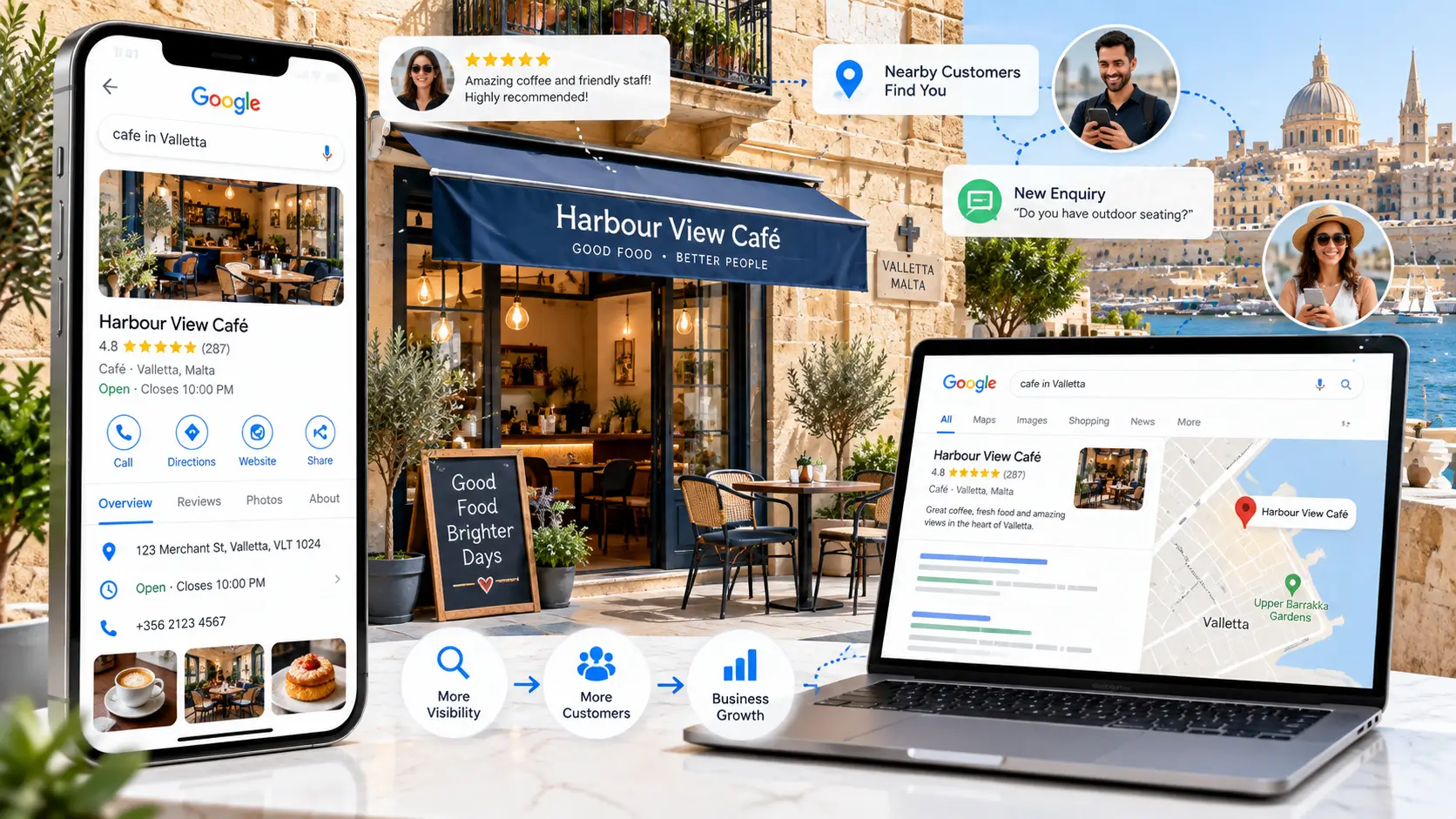
Google Business Profile supports digital marketing by connecting your business directly to Google Search and Google Maps. It displays your hours, reviews, photos, and posts right where local customers are searching. Unlike a website, it needs no hosting or design work, and it feeds data into Google’s local ranking system for free.
What Is Google Business Profile Used For?
Most people think of it as just a listing. It’s more than that.
Google Business Profile is used for managing your business hours, answering customer questions, replying to reviews, sharing updates through Posts, and tracking how people find you through Insights. It’s the closest thing to a free storefront on Google.
For a plumber in Birkirkara or a boutique in Valletta, this is often the first thing a customer sees before your website.
Google Business Profile Features That Support Digital Marketing
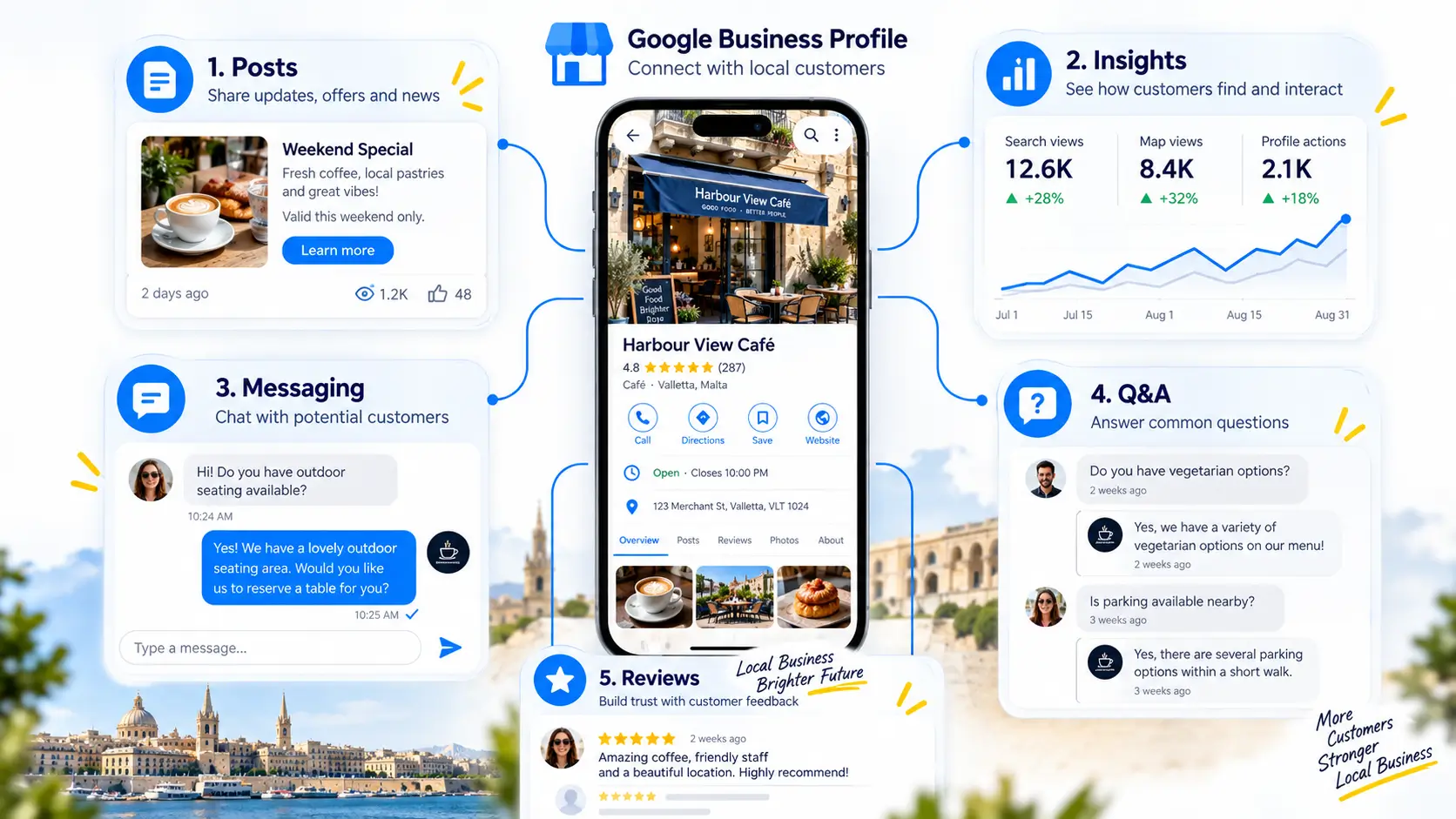
A few features do most of the work:
- Posts: short updates about offers, events, or news, usually visible for about a week
- Insights: shows how customers searched for you and what they clicked on
- Messaging: lets customers text your business directly from search results
- Q&A: answers common questions before someone even calls you
- Reviews: builds trust and gives you public feedback to respond to
Used together, these features turn a plain listing into an active marketing channel. Most Maltese businesses only use two or three of these consistently, which leaves easy wins on the table.
Step-by-Step: Setting Up and Verifying a Google Business Profile in Malta
- Search for your business on Google or go to the Business Profile setup page
- Claim the listing or create a new one with your exact business name
- Add your address, service area, category, and phone number
- Choose the verification method Google offers you, this can be video, phone, or postcard depending on your business type
- Complete verification and wait for approval, which usually takes a few days
- Fill in hours, photos, and a description once verified
- Turn on messaging and start replying to reviews
The verification method Google offers can differ by business category, so don’t assume it will always be the same option.
Does Google Business Profile Improve Search Ranking? (Myth vs Fact)
Here’s a common myth: posting on Google Business Profile every day will push you up the rankings. That’s not quite accurate.
Fact: Posts and Offers mainly boost engagement and click-through rate in the local panel. They’re not a direct ranking factor.
What actually moves your ranking is a complete, accurate profile: the right category, consistent reviews, real photos, and matching business information across the web. Posting regularly still helps, just not for the reason most people assume.
Google Business Profile vs a Business Website: Which Comes First?
Short answer: start with Google Business Profile if you’re local. It’s faster to set up and starts working within days.
A website still matters for credibility, detailed service pages, and running ads that point somewhere solid. Think of your profile as the front door and your website as the shop behind it. You want both, but if you’re choosing where to spend your first hour, spend it on your profile.
Best SEO Tools for Malta Businesses
SEO tools handle the research and tracking work you can’t do by guessing. A handful cover almost everything a small business needs.
Google Search Console (Free, Start Here)
Google Search Console shows you exactly which searches bring people to your site, and flags technical errors before they hurt your rankings. It’s free and takes about ten minutes to set up.
If you do nothing else from this list, connect Search Console. It’s the foundation everything else builds on.
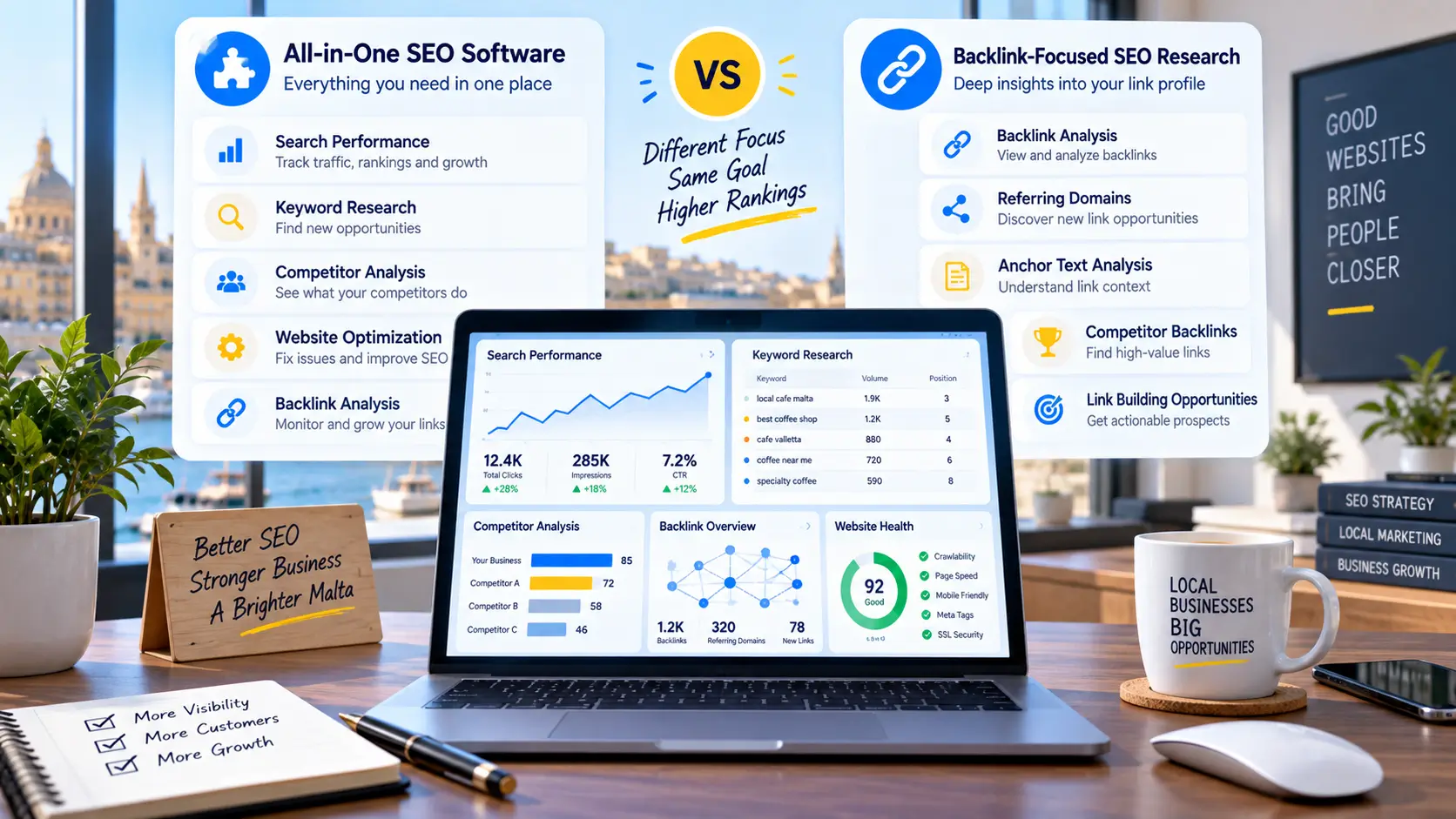
Semrush vs Ahrefs, Which SEO Tool Is Better?
Both are strong, and the honest answer is it depends on what you need.
| Tool | Best For | Starting Price |
| Semrush | All-in-one SEO, content, and campaign tracking | Around $130+/month |
| Ahrefs | Backlink research and competitor analysis | Around $30+/month (Starter) |
Ahrefs tends to win for backlink depth. Semrush wins if you want one dashboard for SEO, content, and paid campaigns together. Pricing changes often, so check current plans before you commit.
On-Page SEO Plugins: Yoast SEO vs Rank Math
If your site runs on WordPress, one of these plugins should already be installed.
Yoast SEO is the more established option, with a simple readability and SEO score. Rank Math offers more features on its free plan, including schema markup. Either one guides you through titles, meta descriptions, and internal links without needing a developer.
Best Social Media Marketing Tools
Social media doesn’t need to eat your whole day. A scheduling tool handles the busywork.
Buffer vs Hootsuite for Small Teams
Buffer is built for simplicity, a clean queue where you schedule posts across platforms in a few clicks. It has a genuinely usable free plan.
Hootsuite covers more ground with social listening and a unified inbox, but it costs more and has a steeper learning curve. For a one or two person team, Buffer usually wins on ease of use.
Meta Business Suite for Facebook and Instagram
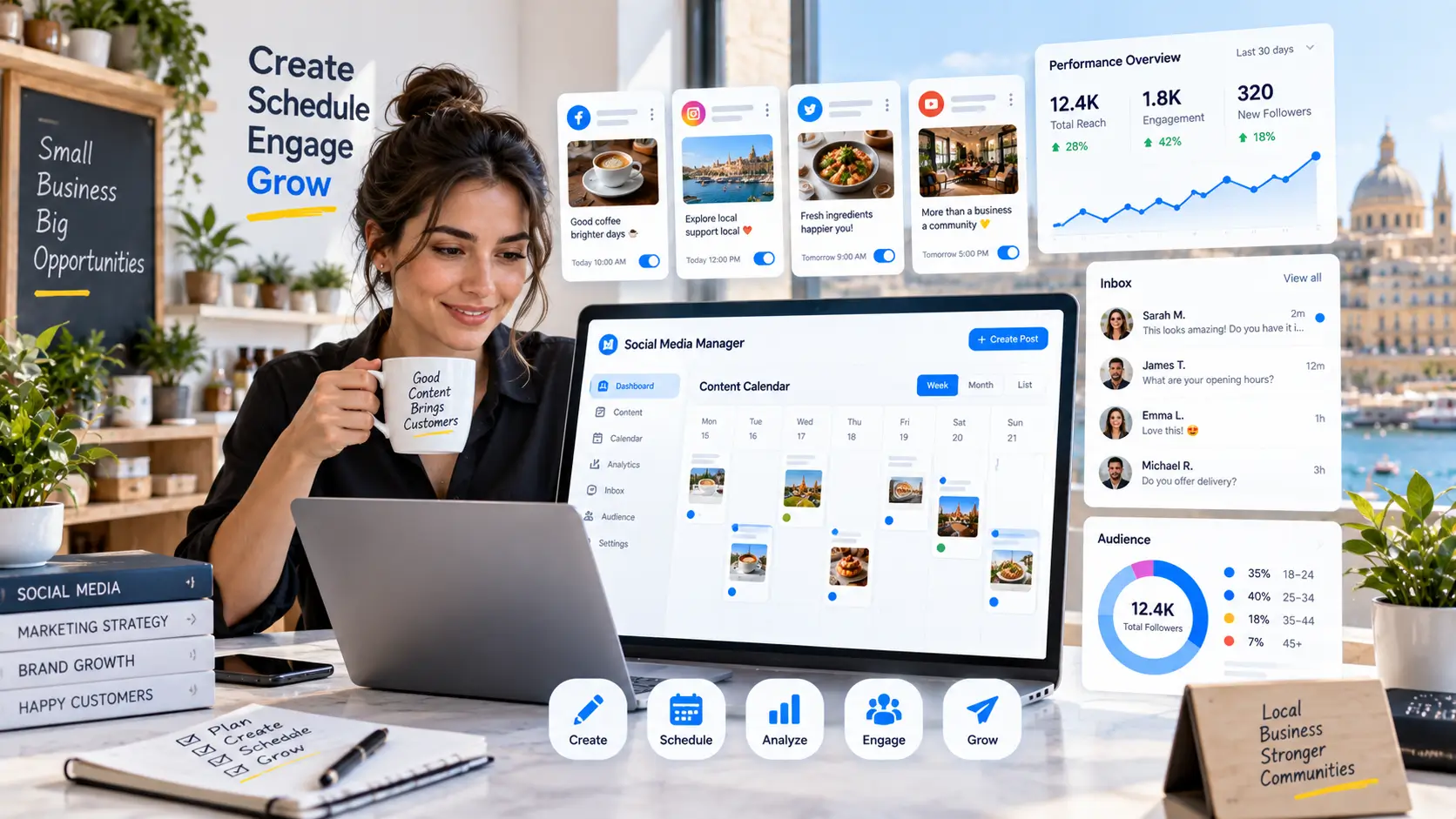
Meta Business Suite is free and manages your Facebook and Instagram posting, messaging, and ad performance in one place. If those two platforms are where your customers actually are, this alone might cover your social media needs without paying for a third-party scheduler.
Best Email Marketing and Automation Tools
Email still outperforms most channels for return on spend, as long as you’re not sending randomly.
Mailchimp for Beginners
Mailchimp is the easiest entry point. Drag-and-drop email design, a free plan for smaller lists, and templates that don’t require design skills. It’s a solid first email tool for a business that hasn’t sent a newsletter before.
HubSpot and ActiveCampaign for Growing Businesses
Once you need automation, like a welcome sequence or abandoned cart emails, ActiveCampaign handles that well at a reasonable price.
HubSpot goes further by combining email with a full CRM, useful once you’re tracking leads and deals, not just sending newsletters. Both cost more than Mailchimp, so upgrade when the extra features actually save you time.
Best Analytics and Tracking Tools
You can’t improve what you’re not measuring. These two tools cover that.
Google Analytics 4 Essentials
Google Analytics 4 tracks where your visitors come from, what they do on your site, and whether they convert. Setup takes a bit more effort than the old version, but event-based tracking gives a clearer picture of actual customer behavior.
Connecting Google Analytics, Search Console, and Google Business Profile
Link these three and you get a full picture: Search Console shows what people search, Analytics shows what they do after clicking, and Business Profile Insights shows local search behavior.
Most business owners check these separately, if they check them at all. Linking them saves time and shows the real customer journey.
Best Design and Content Creation Tools
Good visuals matter more than most business owners expect, especially for Google Business Profile photos and social posts.
Canva for Social Media and Google Business Profile Posts
Canva turns anyone into a passable designer. Free templates cover social posts, GBP post images, and even simple flyers. You don’t need Photoshop skills or a design budget. Twenty minutes in Canva can produce a week’s worth of posts.
Free Digital Marketing Tools to Start With (Zero-Budget Stack)
If your budget is genuinely zero, here’s what to set up first:
- Google Business Profile, free local listing and Maps visibility
- Google Search Console, free SEO and technical tracking
- Google Analytics 4, free website behavior tracking
- Mailchimp free plan, email marketing for small lists
- Buffer free plan, social scheduling for a few channels
- Canva free plan, design for posts and graphics
Together, these six cover local search, SEO, analytics, email, social, and design without spending a cent. Most Maltese small businesses could run their entire marketing operation on this list alone for the first year.
Digital Marketing Tools for Businesses Across Malta (By City)
Tool choice barely changes by city, but priority does.
Local SEO Tool Priorities for Valletta, Sliema, and St. Julian’s Businesses
These areas are dense with competition, cafés, hotels, and bars, all fighting for the same searches. Reviews and photo freshness on Google Business Profile matter more here than almost anywhere else in Malta.
Prioritize responding to every review within a day or two. In a crowded local pack, that responsiveness is often the difference maker.
Digital Marketing Tools for Gozo-Based Businesses
Gozo businesses often serve a mix of locals and tourists searching from outside the island. Google Business Profile, with accurate service-area settings, matters most here, along with photos that show what makes the location worth the ferry ride.
SEO tools matter less than a genuinely complete, photo-rich profile for most Gozo businesses.
How These Tools Work Together (A Simple Digital Marketing Stack)
None of these tools work in isolation, and most people miss this part.
Google Business Profile, Search Console, and Analytics feed you data about what customers search and do. Semrush or Ahrefs use that data to guide what content to create. Canva builds the visuals. Buffer and Meta Business Suite distribute them on social. Mailchimp or ActiveCampaign nurture the people who don’t buy immediately.
Think of a small hotel in Sliema: guests find it through a well-optimized Google Business Profile, the team tracks that traffic in Analytics, promotes seasonal offers through Canva-designed social posts, and follows up with past guests through email. Every tool has one job, and together they cover the whole customer journey.
Choosing the Right Digital Marketing Tools for Your Business
Let me explain why this matters. The right marketing tools aren’t the flashiest or the most expensive ones. They’re the ones that match your size, your city, and your customers, and that’s exactly the idea behind this list of the top digital marketing tools every business should use.
Start with Google Business Profile since it’s free and it’s where local customers already are. Add Search Console and Analytics for tracking. Layer in SEO, email, and social tools as your business grows.
Whether you’re running a shop in Valletta or a guesthouse in Gozo, a small, well-used stack of digital marketing tools beats a large collection nobody actually opens. Start with one tool this week, get it right, then add the next.
FAQ
What are the top digital marketing tools every business should use? Google Business Profile, Google Search Console, Google Analytics 4, an email tool like Mailchimp, and a design tool like Canva cover the basics most businesses need.
How does Google Business Profile support digital marketing? It connects your business to Google Search and Maps, showing hours, reviews, photos, and posts directly to local searchers, without needing a website visit first.
Is Google Business Profile free to use? Yes. Claiming, verifying, and managing a Google Business Profile costs nothing, including posts, messaging, and Insights data.
Do Google Business Profile posts improve ranking? Not directly. They boost click-through and engagement in the local panel. Ranking depends more on category accuracy, reviews, and profile completeness.
What is the best free digital marketing tool for a small business in Malta? Google Business Profile, since it puts a local business directly into Google Search and Maps results at no cost.
Semrush or Ahrefs, which should I choose? Ahrefs tends to be stronger for backlink research. Semrush offers a broader all-in-one dashboard. Either works well depending on what you need most.